At NativeRest, we've made transferring your API requests and collections as fast and intuitive as possible. Whether you are migrating from another tool or just want to quickly test a request from an API documentation page, we have a convenient way to bring your data in.
Seamless Postman Migration 🚀
If you are looking for a fast, secure, and offline-first alternative to Postman, NativeRest is the perfect choice. We have put special effort into making your transition completely frictionless.
NativeRest fully supports importing Postman collections (v2.0 and v2.1 formats). When you import a collection, we don't just transfer the URLs; we preserve your entire working environment:
- Perfect Hierarchy: Your complex nested folder structures are fully maintained.
- Visual Settings: Folder colors and request descriptions are carried over.
- Technical Details: HTTP methods, URLs, Headers, Query parameters, and request Bodies are automatically parsed.
- Scripts & Tests: Your pre-request scripts and test assertions are imported seamlessly.
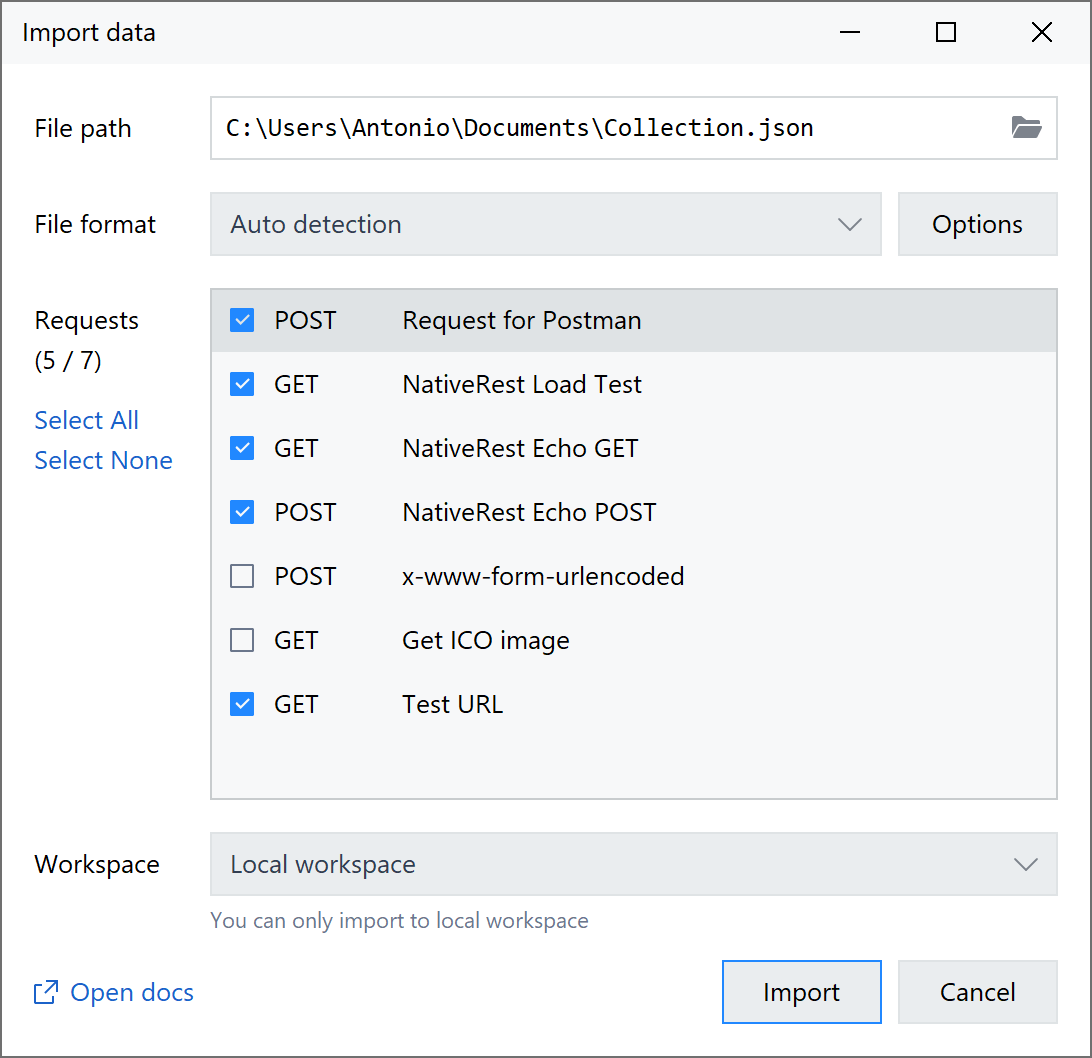
How to import a Postman collection:
- In Postman, click the three dots next to your collection and select Export (Collection v2.1 format is recommended).
- In NativeRest, simply drag and drop the downloaded file into the main application window (see more on Drag & Drop below), or use the Bottom bar → Import.
Instant cURL Import (Smart Paste)
Most modern APIs (like Stripe, GitHub, or Twilio) provide request examples in their documentation using the curl format. In NativeRest, you don't need to look for special import windows or menus to use them.
We have implemented a Smart Paste feature:
- Copy any cURL command from the documentation (starting with curl ...).
- In NativeRest, paste this string directly into the URL input field (the address bar).
NativeRest will instantly recognize the cURL command, automatically switch to the correct HTTP method (GET, POST, etc.), parse all the Headers, and accurately place the data into the Request Body. It is the absolute fastest way to test a new API!
Drag & Drop File Import
We value your time, which is why NativeRest fully supports native Drag & Drop for all compatible data formats.
The quickest way to open a saved collection (whether it's a NativeRest backup, a Postman collection, or an OpenAPI/Swagger specification) is to simply grab the file in Windows Explorer and drop it anywhere inside the main NativeRest window.
The application will instantly read the file and append all the requests and folders to your current Workspace.
Classic Menu Import
If you prefer using standard system dialogs, you can always use the main menu:
- Click Import in the bottom bar.
- Choose the corresponding file from your computer.
- Check the required folders and requests.
- Click the Import button at the bottom of the window.
You can also use shortcut Ctrl + Shift + I.
Supported Import Formats
Currently, NativeRest supports importing from the following formats:
- Postman Collections (v2.0, v2.1)
- Insomnia Collections (JSON and YAML formats)
- OpenAPI / Swagger (JSON format)
- HAR files
- cURL commands (via pasting into the URL field)
It is recommended to use the Postman format for full compatibility in imported fields.
