Welcome to the official documentation for NativeRest – a high-performance, highly secure, and 100% native client for REST API development and testing.
NativeRest is built by developers, for developers. Our primary goal is to provide a powerful API tool that doesn't drain your system resources, launches instantly, and, most importantly, guarantees the absolute privacy of your data.
Why do developers choose NativeRest?
In a world where developer tools are becoming increasingly bloated and cloud-dependent, NativeRest offers a return to the essentials: speed, reliability, and security.
⚡ 100% Native Architecture (No Electron)
Unlike most modern API clients, NativeRest does not rely on heavy web engines like Electron or Chromium. Built entirely with compiled native code, it delivers an instant cold start, minimal RAM consumption, and a highly responsive interface.
🔒 Offline-First & Absolute Privacy
Your API keys, authorization tokens, passwords, and request payloads are highly sensitive corporate data. NativeRest enforces a strict Offline-First approach. The application does not require mandatory account registration, it does not force cloud synchronization, and all your workspaces are stored strictly locally on your machine.
🚀 Built for Massive Payloads
NativeRest excels where other clients crash. Thanks to our highly optimized rendering engine, you can view, search, and navigate massive JSON and XML (including SOAP) responses without experiencing any UI freezes or lag.
🧠 Advanced Scripting & Automation
Our built-in scripting engine allows you to write complex automated tests, utilize conditional logic (if statements), generate test data on the fly (ULIDs, random strings, Hex encoding/decoding), and even interact directly with your local file system and Windows Registry.
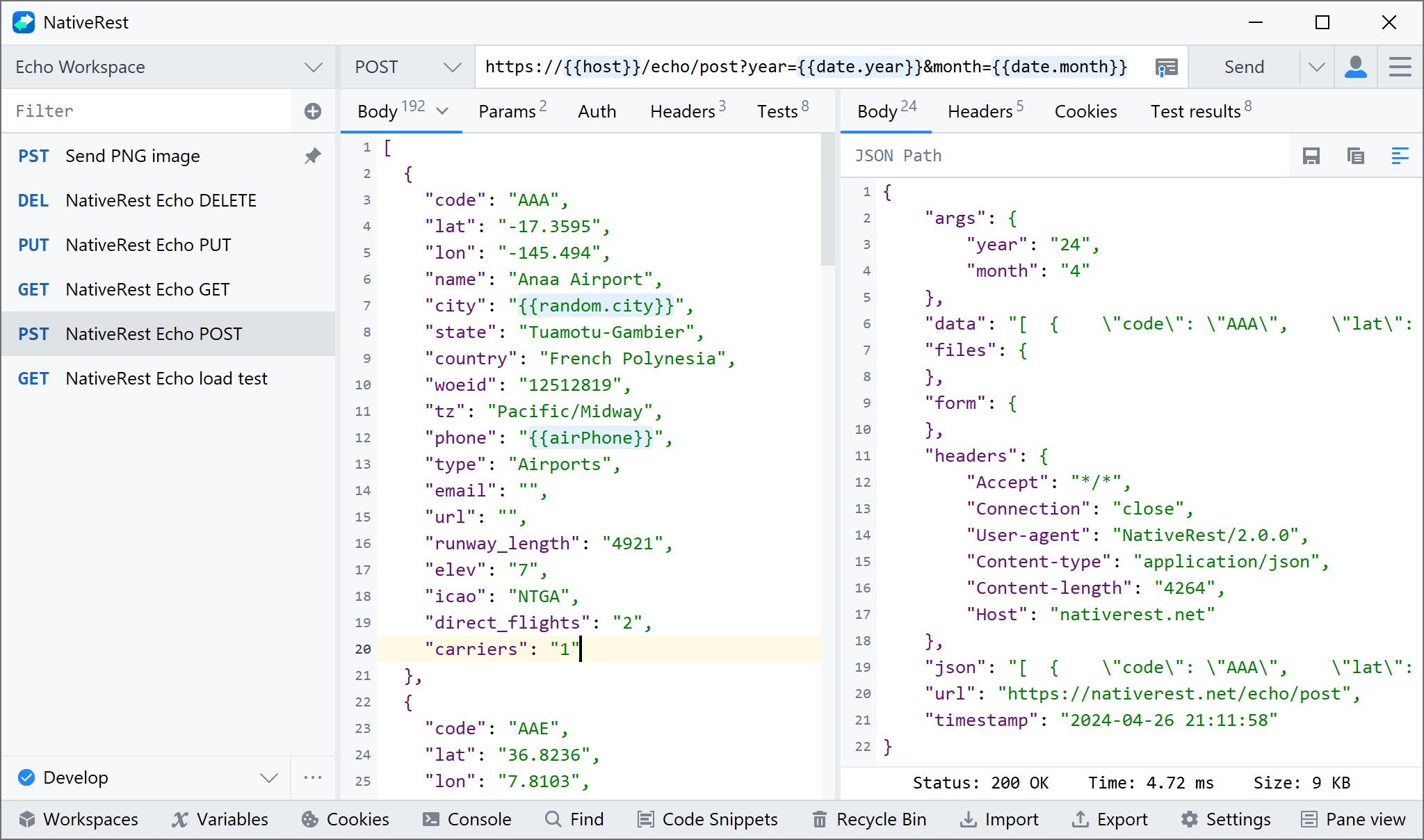
The Perfect Postman Alternative
If you are looking for a Postman replacement, you are in the right place. NativeRest was designed as the ideal alternative for developers and enterprise teams tired of resource-heavy applications and forced transitions to expensive cloud subscriptions.
Why make the switch?
- No Forced Cloud: Never lose access to your work. NativeRest allows you to operate securely within closed corporate networks and air-gapped environments without mandatory cloud syncing.
- Seamless 1-Click Migration: NativeRest fully supports importing Postman collections. We perfectly preserve your nested folder structures, folder colors, request descriptions, and test scripts to ensure a frictionless transition for your entire team.
- Fair Licensing: We believe you should own your tools. We offer perpetual licenses for solo developers and teams—pay once and use it forever, with no hidden subscriptions.
What's Next?
This documentation is designed to help you quickly master NativeRest—from sending your very first request to writing advanced testing scenarios.
Choose a section below to get started:
- [Quick Start] – Learn how to create and send your first API request.
- [Migrating from Postman] – A step-by-step guide to importing your existing collections
- [Environments & Variables] – Manage parameters across different servers (Dev, Stage, Prod).
- [Scripts & Testing] – A comprehensive reference for our built-in functions and logical operators.
